Your Terraform and Bicep, as a drawing. Edit the drawing — it edits the files.
Other tools show you a picture. SchematIaC gives you a drawing you can edit — for Terraform and Azure Bicep alike — and writes your changes back into the files, surgically. The same engine is open to your AI agent over an MCP server.
SchematIaC = schematic + IaC. Say it like “schematic” with an ack: skee‑MAT‑ee‑ack.
Six-month free trial — start from the canvas with an email address, no card.
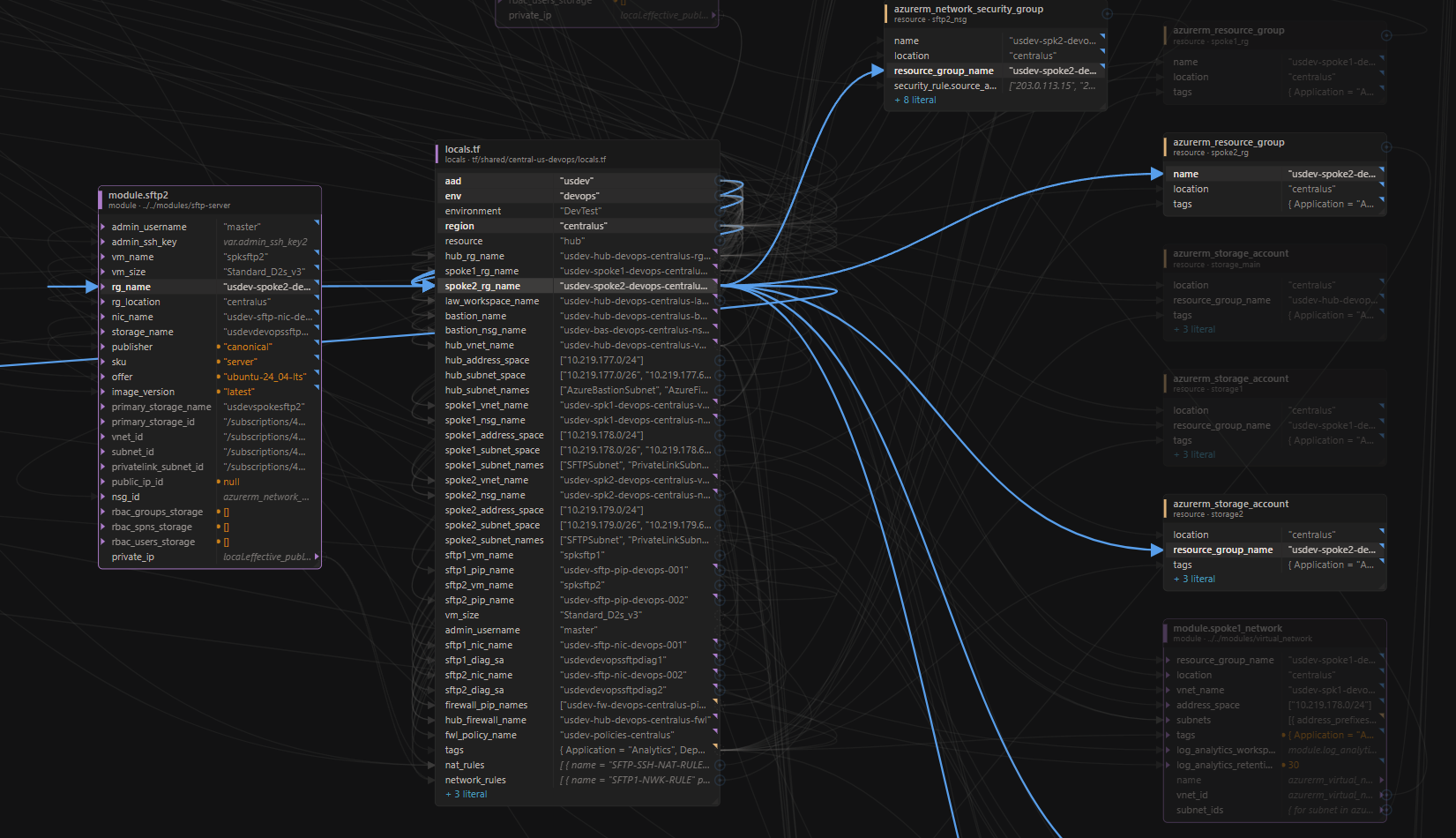
Terraform
.tf and .tfvars on a canvas, resolved values, simulated workspaces and the Folder Overview. Works with OpenTofu.
Bicep
NewAzure Bicep as a peer language on the same canvas — .bicep and .bicepparam, same tracing and surgical edits. No Bicep CLI.
MCP server
NewGive Claude Code, Cursor or any MCP client the same local engine — read the graph, resolve values, get validated diffs. Read and propose only.
Explore the MCP server →“Every file is a tree; there's no way to see the forest — or to act on it.”
You cannot see the shape of the project
Which module feeds which? What consumes this variable? Answering it means grepping and holding a graph in your head.
You cannot see what a resource actually gets
The file says "${var.env}-acme". What lands on the resource is "dev-acme" — and the only way to know is to mentally execute the config, or run a plan.
Existing tools are read-only, or they take your code
Visualizers draw a picture you cannot edit. SaaS design tools generate Terraform but own the source of truth.
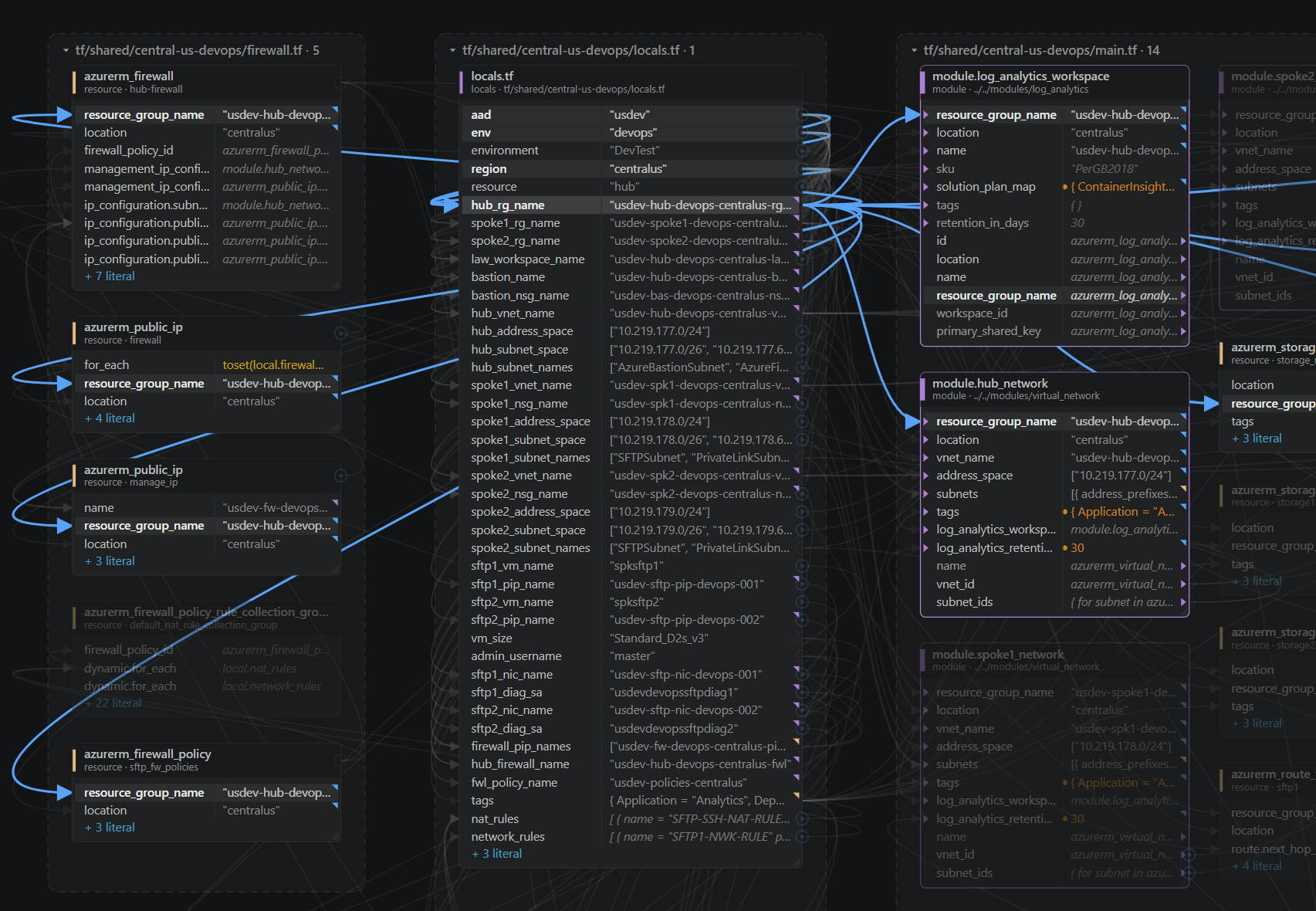
Blocks become nodes. References become wires.
A tfvars entry flows into a variable declaration, which flows into a resource attribute — visible as one connected path. Click any row and its whole lineage lights up while everything else dims.
The computed value, not the expression
The canvas evaluates your HCL locally and shows what each attribute becomes. And it is honest about what genuinely cannot be known before terraform apply — no guessing.
| Written in the file | Shown on the canvas |
|---|---|
| "${var.env}-acme" | "dev-acme" |
| merge(local.common_tags, {...}) | { Environment = "dev", Name = "dev-acme-web", … } |
| var.bucket_name | "acme-dev-artifacts" |
| aws_vpc.main.id | (known after apply) |
One line changes. Nothing else moves.
Drag a wire to a new source, or edit a value in the properties panel. Either way you see the exact diff and approve it before anything is staged, and nothing reaches disk until you press Save.
Only that expression's bytes change. The trailing comment and its spacing survive — that is what “surgical” means, and it is why the tool is trustworthy enough to point at real infrastructure.
@@ -14,7 +14,7 @@ resource "aws_instance" "web" {- instance_type = var.instance_type # standard workload+ instance_type = var.machine_class # standard workload
One definition. Workspaces parameterize it.
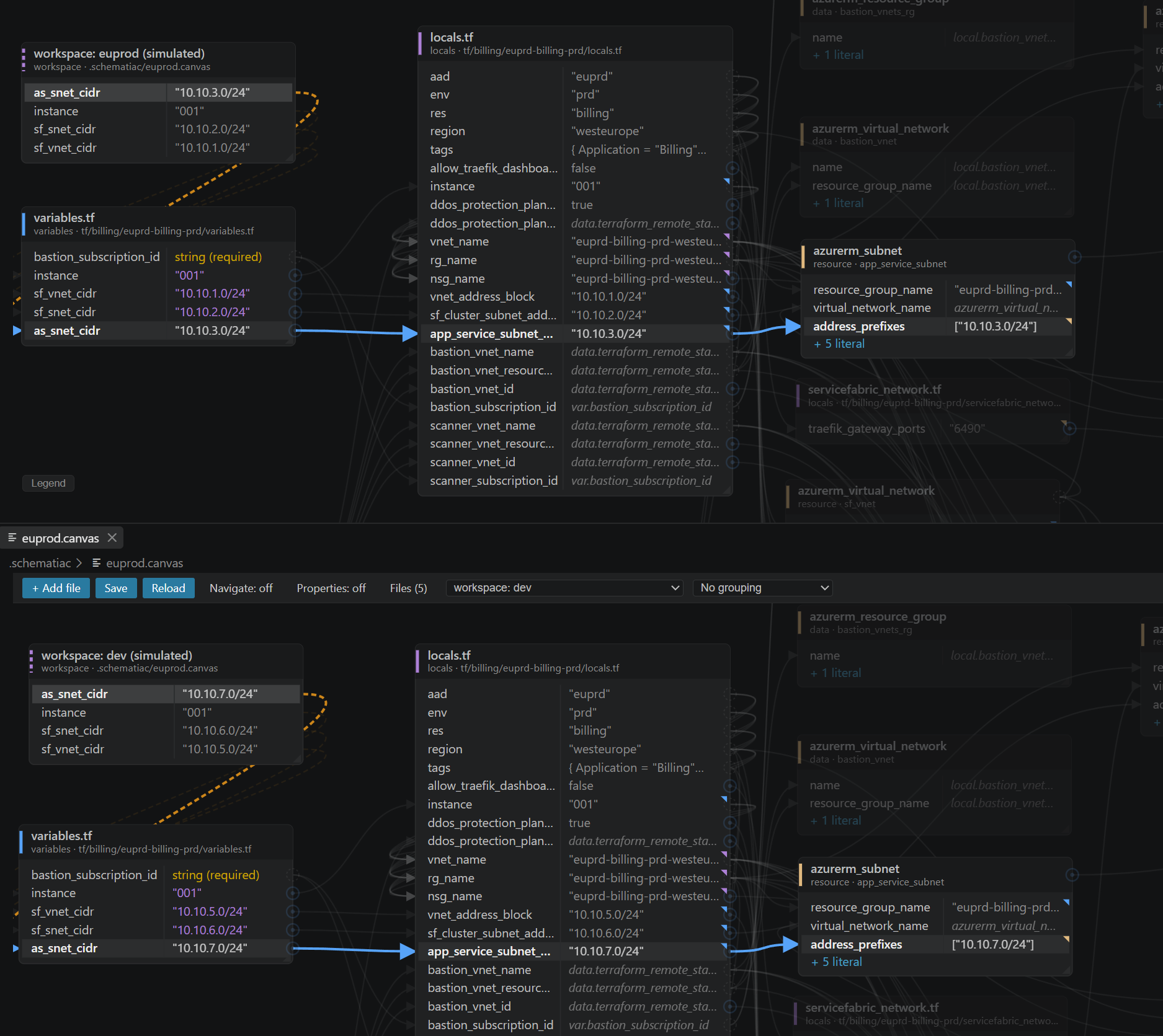
A canvas is a checked-in file over one definition of your infrastructure — the same model as Terraform itself. Environments are simulated workspaces inside it: named sets of variable values, saved in the .canvas file, switched from the toolbar or compared all at once. Pick All workspaces and each environment sits as its own node — “which CIDR is prod actually using?” is a glance rather than an investigation.
| variable | workspace: prod-west | workspace: dev-west |
|---|---|---|
| VPCCIDR | "10.0.0.0/16" override | "10.10.0.0/16" default |
| WebCIDR_Block | "10.0.1.0/24" override | "10.10.1.0/24" default |
No telemetry
No analytics, no usage tracking, no licence check-in.
Nothing is uploaded, ever
The HCL engine is compiled to WebAssembly and runs inside your editor.
Works air-gapped
Once activated — licence keys are cryptographically signed and verified offline.
Nothing is written without you saving
Every change is staged until you press Save.
The one exception, stated plainly: getting the free licence sends an email address, an anonymous installation digest, and the six-digit code we email back. Never any of your code — Terraform or Bicep — at any point. How we handle your code →
Local module sources only (./, ../). Registry and git modules are roadmap.
You cannot drill into a module yet — it is a box with input and output ports.
A few Terraform-only functions — templatefile, cidrsubnet, try — are not evaluated yet; those rows read unresolved rather than guess.
It re-points references and edits values; adding and deleting resources is roadmap.
count and for_each are not expanded — a resource with three instances is one node, and each.* references draw no wire.
The project-wide forest view and moved-block refactoring are the headline roadmap items — coming, not shipped.
Personal
- Everything — no feature gates
- One engineer, any number of machines and projects
- Offline activation included
Team
- Everything in Personal
- Assign and reassign seats yourself
- 3 – 6 seats: $18 / month or $69.50 / year each
- 7 or more: $15 / month or $65 / year each
- Priority support
Install from the Marketplace and start from the canvas with an email address — no card. The first six months are a free trial; after that a licence is required and canvases will not open without one. Buy now if you need an unbound key for air-gapped machines, Team seats, or procurement this year. Personal and Team are billed through Stripe. Enterprise — contact us.
- Does my code leave my machine?
- No. Ever. Terraform or Bicep, on the canvas or over the MCP server.
- Does it need terraform or bicep installed?
- No — the engine is compiled to WebAssembly and runs inside VS Code.
- Does it support Bicep?
- Yes — Azure Bicep is a peer language on the same canvas. Works with OpenTofu too, same HCL.
- Can my AI agent use it?
- Yes — the MCP server gives Claude Code, Cursor or any MCP client the same engine. It only ever proposes a diff; it never writes a file.
- Do I need to buy now?
- No. The first six months are a free trial. Buy now only if you want a paid key early — air-gapped activation, Team seats, or procurement this year.
- What happens when a licence ends?
- Canvases stop opening; your files are untouched and your .canvas files remain valid.
- Will it reformat my files?
- No — only the expression you changed.
- Does it support remote modules?
- Local module sources today; registry and git modules are roadmap.
- Can I use it on an air-gapped machine?
- Yes. Keys verify offline; only getting the free licence needs the network.